Hey my zoulous and welcome to this new article! Today we’re going to talk about starting a new character in Conqueror's Blade. For this first part, we’ll focus on the hero.
Choosing your weapon
After creating your character, you will need to choose a weapon from the following list:

Longsword

Longbow

Shortbow

Musket

Nodachi

Spear

Dual Blades

Glaive

Poleaxe

Shortsword
Be aware that at the time I’m writing this tutorial, there are 3 additional classes: the War Hammer, the Chain Dart & Scimitar, and the Pike, which you’ll need to unlock if you want to play them.

Pike

War Hammer

Chain Dart & Scimitar
Don’t worry, this choice is not final because in Conqueror's Blade you can change weapons on the same character. As an indication, the classes currently considered meta are:
- Shortsword, because it has high damage resistance, many crowd controls, and decent damage.
- Then the War Hammer, which is capable of dealing massive area damage.
- The Musket, a mid-range weapon that allows you to throw grenades, for example, to counter artillery or pushes.
- And the Pike, with its fast-paced gameplay.
Now it’s up to you to discover the strengths and weaknesses of each class and make them your own.
Once the weapon is chosen, you will complete several short tutorials. I recommend following them, but you can skip them if you wish by pressing Escape and skipping the tutorial.
Hero attributes
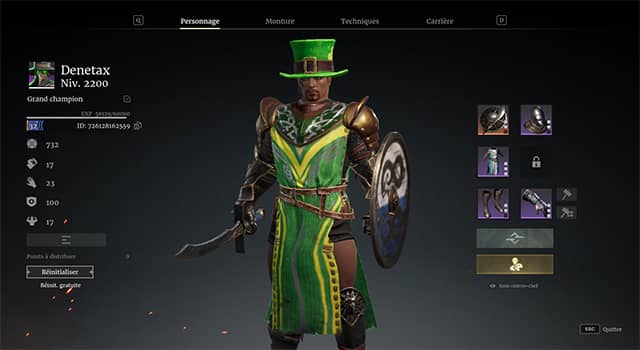
Each time you level up until level 60, you will gain attribute points.
These attributes allow you to increase, for example, your piercing damage with Agility, slashing and blunt damage with Strength, and your survivability with Toughness and Armor.
Since each weapon is different, I’ll go into detail for each class in dedicated videos. Feel free to check them out if they already exist or let me know in the comments which class you’d like me to cover next if the tutorial doesn’t exist yet.
Hero skills
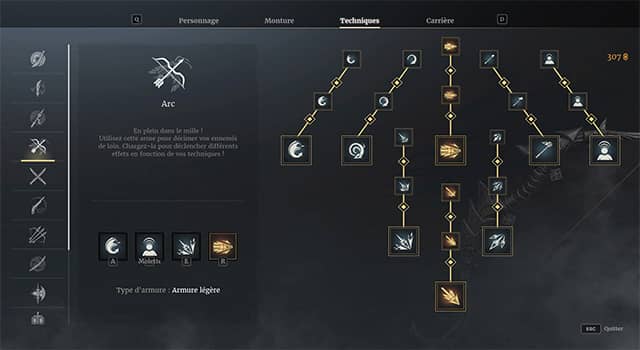
There are 8 skills in total (6 standard skills and 2 ultimates). You will need to choose up to 4 skills maximum, knowing that you can only equip one ultimate at a time (however, you are absolutely allowed to choose no ultimate and play with 4 standard skills).
Be careful: skills have levels. Of course, the higher the skill level, the more effective it will be. To level up a skill, you’ll need to play PvP battles to earn mastery points. Once the points are obtained, simply click on the next level to unlock it.
Hero equipment
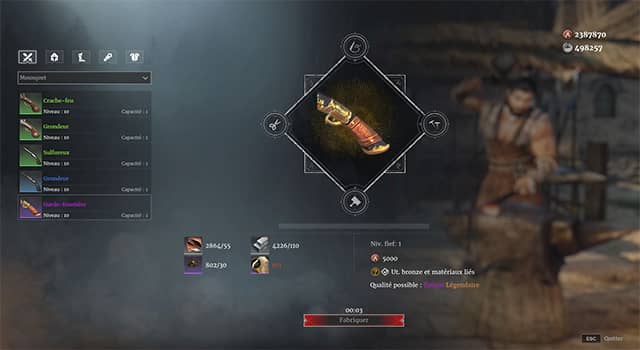
Crafting gear
This is a fairly classic system: you’ll need to gather materials and the corresponding blueprint.
To know what you need to provide to the blacksmith, nothing could be simpler: just go see him and select the weapon or armor you want to craft.
Once you have everything, simply click craft and you’ll receive your item. Note that Conqueror’s Blade uses a roll and rarity system based on luck.
I won’t go into detail here, but if you’re interested, I’ve made a
crafting tutorial that covers this topic in detail.
Seasonal donations
There is a donation system each season. This system allows you to obtain a full light, medium, or heavy armor set, including 8 additional influence per piece.
To do this, simply visit the donation NPC and give them either seasonal items intended for this purpose or authorized items you don’t need.
Personally, I recommend crafting a full set using blue blueprints without worrying about stats at first, then obtaining armor via donations, and finally optimizing your gear using blue and purple blueprints.
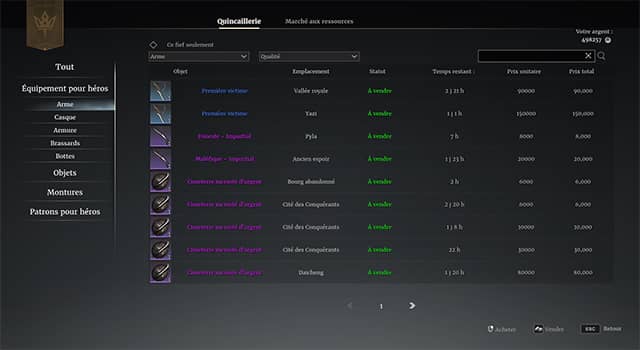
The auction house
Of course, gear can be purchased from the auction house using silver coins.
As a new player, I don’t recommend using this option, but at least you know it exists and that it can guarantee progress for those struggling to craft quality armor and weapons.
Gear drops
Indeed, it is possible to drop certain armor pieces and weapons directly in-game. This can be useful when you have no gear at all, but dropped armor and weapons always come without additional stats, making them quickly obsolete.
Runes
*rixmome* Arararagg there’s really a lot to take into account, are we done yet?!
Well, not quite. We still have several points to cover.
And the next one is none other than runes.
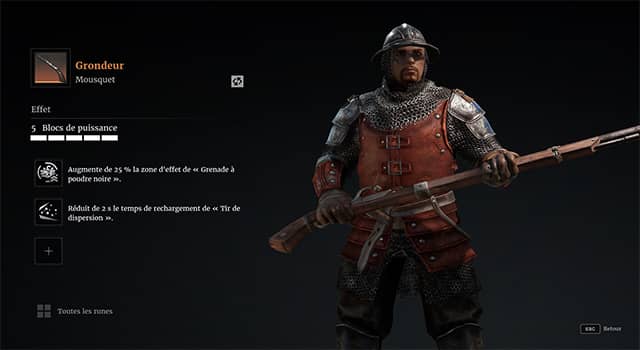
Runes are bonuses that can be attached to your gear and can either increase certain stats or modify the behavior of certain abilities. To go further into how runes work, I’ll once again redirect you to the
runes tutorial dedicated to this topic.
Basic hero controls
To move, the default keys are ZQSD.
To run, hold Shift + one of the movement keys.
To dodge, press twice on the directional key corresponding to the direction you want to dodge.
To interact with game elements (ladders, door mechanisms, supply camps), press F.
During a standard siege, you can hold G to place artillery or request a trebuchet, knowing that the trebuchet is limited to 1 shot per person in standard sieges.
To mount or dismount your horse, press B.
Right-click to block for melee heroes or perform a basic attack for ranged classes.
The mount
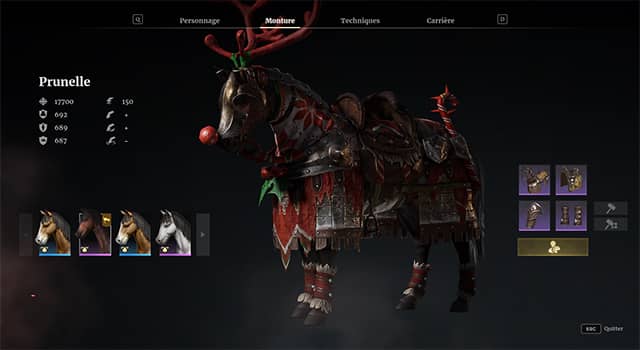
A few words about mounts: they obviously allow you to move faster, but they also give access to new skills. Your mount also has armor, and it’s important to equip it as much as possible to avoid losing it.
There are several ways to obtain a mount.
The stablemaster
The first option is simply to visit the stablemaster and purchase a new horse using bronze coins.
Twitch drops
The second method is Twitch drops. Indeed, at regular intervals, Twitch drops are organized by the CB community team. These drops sometimes allow you to obtain interesting mounts simply by watching the official stream or various content creators.
(I’ll put the official Discord in the description so you can follow these events and some French content creators.)
Seasonal donations
The third method is seasonal donations, which we already mentioned earlier in this tutorial. It’s the same principle: make donations and reach the mount reward tier.
The game interface
A quick note about the in-game interface. The red bar represents your hero’s health. The white bar represents stamina. Below that, you’ll find your hero’s 4 equipped skills, followed by the healing skill and equipped artillery. On the right, when mounted, you’ll see your mount’s health with a red outline and its stamina with a white outline.
When you block, a shield appears filled with white. This represents your remaining block value. You can continue blocking as long as it isn’t empty. WARNING: if it completely depletes, you’ll be stunned for several seconds, so make sure you never run out of block.
Settings optimization
Let’s talk about settings. By default, your camera is set to cinematic mode. This close-up view is not optimized for gathering information and reacting effectively. Personally, I recommend switching to the normal camera and zooming out enough to see more of the battlefield and react more easily to threats.
To change this setting, press Escape, then Camera, and select “Normal mode”.
The second important setting concerns ultimate skill animations such as Assassin or Poleaxe. While they may look cool, these animations reduce your field of view and are not useful. I therefore recommend disabling them, still in the Camera and Kill Cam menu.
Information gathering
The map
Let’s now move on to one of the most important aspects of Conqueror’s Blade: information gathering. Indeed, directly on the minimap or by pressing Tab, you’ll get a lot of information, including the current position of your allies and visible enemies.
*rixmome* Why do you specify visible?
Well, I specify visible because enemies that are not within the line of sight of an allied unit or hero will not appear on the map.
*Karhlor* But what’s the point of having this information?
For example, if you see a large number of enemies entrenched in one position, it might be wise to move to a less defended area. Likewise, if your allies have deployed many ranged units, it might be more appropriate to switch away from infantry.
And to make these decisions, you need as much information as possible.
The W view
To complement a quick analysis via the map, you can also press W to get a broader view that takes terrain topology into account.
This can be important, for example, to spot artillery being placed or already deployed.
The mortar view
Another interesting way to gather information is to place a mortar and fire a high-arcing shot. Once the shot is fired, press W to follow the projectile, allowing you to spot enemy formations and already placed artillery.
Speaking of artillery, if you’d like to learn more, I’ve also included the dedicated
artillery tutorial in the description and somewhere on the screen.
Making calls
So great, you’ve gathered information and know how to attack. But don’t forget: Conqueror's Blade is a team-based game. To communicate with your allies, you have several options.
Voice chat
In this case, no problem—just speak.
Pings
Indeed, when playing siege mode, for example, there are many players and it’s difficult to communicate via chat.
You can therefore use different types of pings to indicate your intentions. For example, if everyone is waiting in different positions, an attack ping can help initiate a push.
Another example: if you see cavalry flanking via the map or visually, you can use a warning ping to alert your allies that a threat is coming from behind.
Chat
While difficult to use, this method can still be useful during downtime to be more explicit.
For example, after a “group up” ping, you can add “push in 10 minutes”, which indicates that the push will happen after some time and helps synchronize everyone to be more effective.
This is already the end of this article—I hope you enjoyed it. Don’t forget to hit the like button if you did, and subscribe if you want to follow the channel! Remember that you can use the code
ZYX515 to get some in-game benefits for new players, or
ZYL515 for players who haven’t launched the game in over a month