How to find a tournament team?
Have you ever wondered how to find a team or players to participate in Conqueror's Blade tournaments?
Until now, it was a bit of a hassle: you had to sift through various tournament Discords, post messages everywhere, or rely on word of mouth.
New tool, the Mercenary Hall
But today, I offer you a much simpler and more centralized alternative: the
Mercenary Hall.
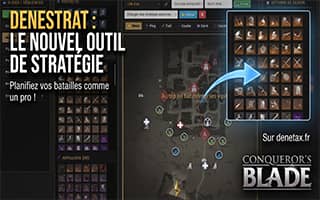
To access it, it's very simple: just go to the denetax.fr website and access the
Mercenary Hall module.
Here, without logging in, you will have access to available players, and you can check their level, units, languages, classes, and leadership/influence.
Of course, you can contact them simply by clicking on the Discord icon on the right.
Very convenient if you already have a team and are looking for new players.
Now, if you are looking for a team yourself, you have the Recruitment tab where teams post listings detailing what they need for which competition.
Here, using the same system, you can contact the person who wrote the listing.
How to make yourself available on the site?
Now, if you want to appear available to join a team, you just need to create an account either via Discord or with a manual account,
and fill in the various information about yourself (units, level, contact, languages spoken, etc.).
Once this is done, you just need to click on “I'm looking for a team” to appear in the list of available players.
You also have the option to export your profile or that of an available player if you want to share it on other platforms to discuss it internally, for example.
How to post a recruitment listing?
For already formed teams, you can of course post an ad in the recruitment tab with all the information you deem relevant and wait for players to reach out.
Of course, if you have any feedback regarding the tool or interesting features to add, don't hesitate to contact me on Discord.
I would like to remind you that you can use the code
S28B022
to gain access to in-game benefits for new or returning veteran players
And if you would like to see the full list of active codes, you can visit the
gift codes page.