Hello my zoulous and welcome to this new tutorial! Today we are going to talk about runes in Conqueror’s Blade, introduced in Season 7
What is a rune?
First of all, what is a rune in Conqueror’s Blade?
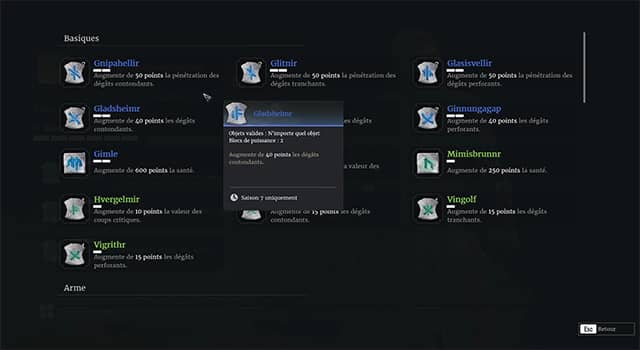
A rune is a type of item that, once attached to a piece of armor or a weapon, allows you to gain attributes such as slashing damage, health points, penetration, but also to modify certain skills.
For example, the Season 7 rune “THRUDHEIMR” allows the musket to fire multiple projectiles with a basic shot, but in return reduces its range, which enables different gameplay styles within the same class.
*rixmome* Yeah, that sounds pretty cool, but how do you unlock them?!
How to unlock a rune?
Well, to unlock your first runes, you will first need to complete a series of quests.
In Season 7, you will need to talk to Thegn, the NPC in charge of donations, to pick up the quests.
Be careful, the quest is only available at level 30 and above and is only located in regional capitals.
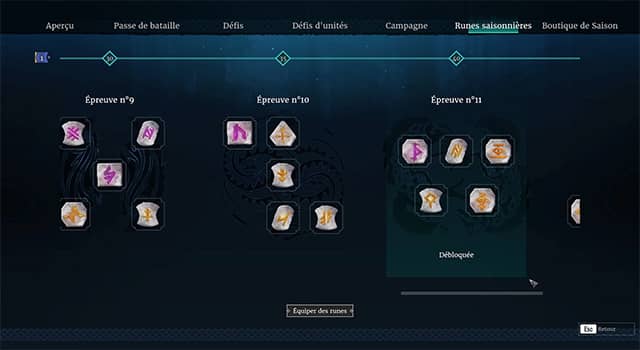
Once the quests are completed, you will gain access to standard runes.
To unlock higher-tier runes, you will simply need to increase your character’s seasonal level. There are a total of 11 tiers, each unlocking 5 runes, with the final tier being Season Level 50.
*gianSa* Alright, I’ve unlocked everything, but how do we actually use them then? (Old man voice)
Using runes
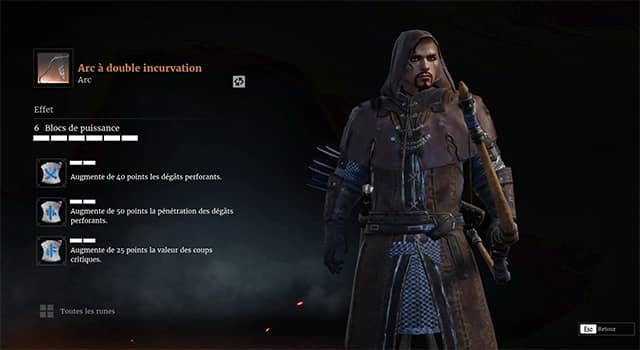
Using them once unlocked is very simple. You just need to access your character interface, then right-click on the item in question, knowing that you can currently only install runes on your weapon, your helmet, and your chest armor.
Once you have clicked, you will see several elements on the screen.
On the left side, you have 3 slots, each allowing you to equip 1 rune.
But be careful, there is a constraint!
Power blocks
Indeed, you cannot exceed 6 power blocks.
*kharlor* But what are power blocks?
- Well, each rune has a power cost depending on its color:
- Green runes cost 1 power
- Blue runes cost 2 power
- Purple runes cost 3 power
- And Yellow runes cost 4 power.
This means, for example, that you can equip 1 yellow rune and 1 blue rune and leave one slot empty, or 1 purple, 1 blue, and 1 green rune.
It’s up to you to choose the rune combination that seems the most interesting to you.
Rune specificities
Another point to take into account in your choice is that some runes can only be attached to a specific piece of armor, weapon, or class.
So be careful when you are looking for a specific rune.
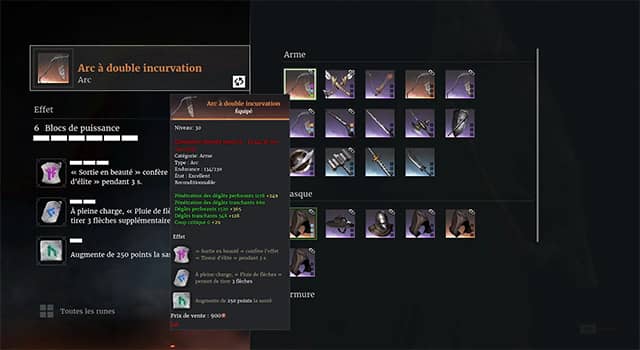
Additional information: when you are on the interface that allows you to equip runes, there is a small button at the top left that lets you switch weapons or armor more quickly without having to go back through your character screen.
You also have access at the very bottom to all available runes, making them easier to browse.
Now that we have all the information, how do you actually equip a rune?
Well, you just need to click on one of the slots on the left, then select the rune you want to install on the right side, and that’s it.
All that’s left is to create your best build to be as effective as possible in-game!
That’s already the end of this article, I hope you enjoyed it. Don’t forget to leave a thumbs up if you liked it, and if you want to follow the channel, make sure to subscribe!
I would like to remind you that you can use the code
S28B022
to gain access to in-game benefits for new or returning veteran players
And if you would like to see the full list of active codes, you can visit the
gift codes page.