Obtain a standard unit
And to begin, let's talk about obtaining them.
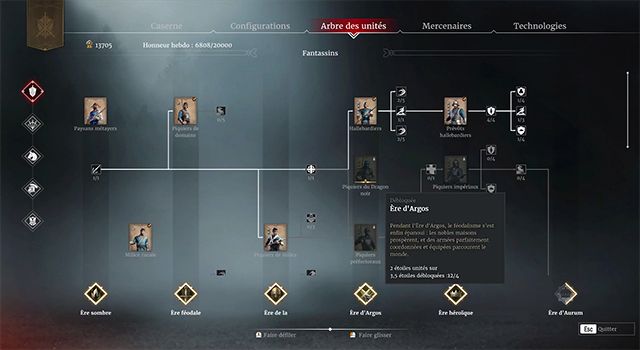
To obtain a unit you must first unlock the associated era; for this you will need 4 units from the previous era.
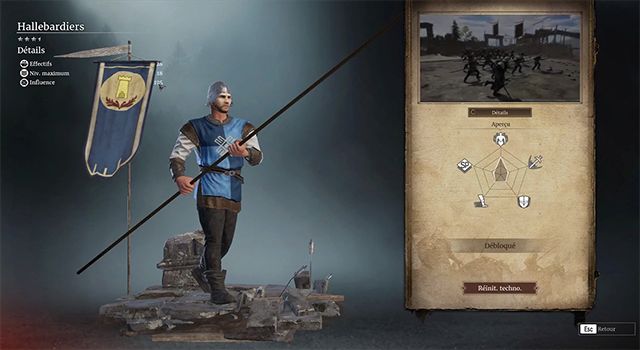
For example, if I want to unlock the halberdiers who are in the Argos era, I would first have to unlock 4 units from the Chivalric era.
Once the era is unlocked you will need to obtain all the preceding elements, the desired unit and of course the unit in question.
To do this you need to earn a certain amount
number of honors , nnumber that is indicated directly on the unit and the elements .
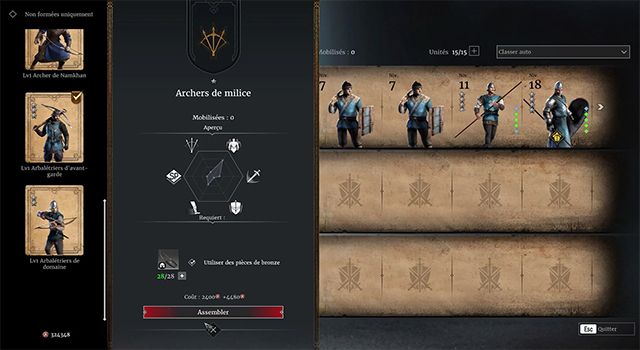
Once the unit is unlocked, you must assemble it.
To do this you must access your barracks by pressing U or by going through the quartermaster.
Once inside the barracks, click on one of the unit slots. (Top row for infantry, middle row for archers, bottom row for cavalry)
And select the desired unit in the side panel (if you have not created the associated packages you will have to pay in bronze coins).
We will come back to the creation of packages a little later in this tutorial.
Then confirm the assembly.
You can now use this troop in battle.
Obtain an auxiliary unit
You have a second option with the auxiliary units.
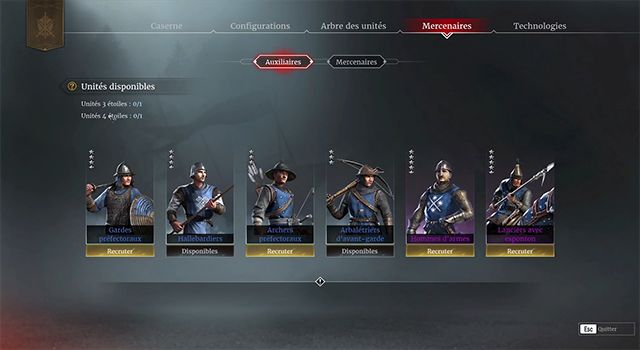
Indeed, Conqueror's Blade has implemented a unit testing system allowing you to recruit units each week:
- 1 unit 3 stars
- 1 unit, 4 stars.
These units are like the standard units except that you can only keep them for a maximum of one week.
Once this deadline has passed, they will no longer be available.
Quick tip: if you are about to unlock this unit, you will be able to keep it and any experience it has received.
To unlock an auxiliary unit, press U, select the mercenary tab, then auxiliary unit, and click on recruit.
Of course you will need a space in your barracks to accommodate your new acquisition.
So, it's all well and good, my unit is ready, but it gets split in two, how come?
Optimize a unit
Well, yes, it can fight, but it's not optimized.
To optimize it, you must perform activities with it in order to level it up, levels which will allow it to increase its characteristics as well as its veterans.
The characteristics
Let's first look at the characteristics.
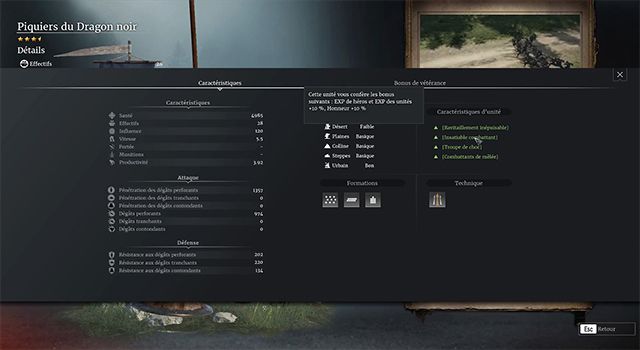
Each unit in Conqueror's Blade has characteristics that define, for example, the damage it will inflict, the amount of damage it will suffer, the speed at which it moves, etc.
During a level up, the unit will automatically gain approximately 1 to 2% of its hit points without any intervention from you.
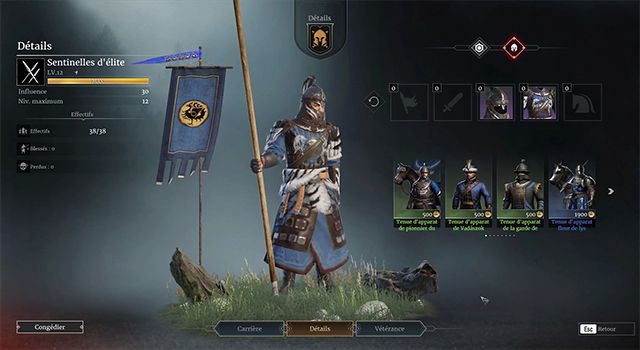
In addition to this characteristic evolution, you will gain a veteranity point for each unit level gained.
The veterans
But what are veterans?
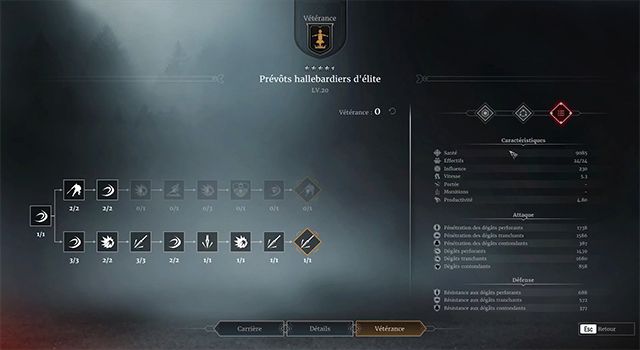
In practical terms, veterans are passive or active skills that increase the effectiveness of your troops.
During the upgrade, you will have to choose between different skill trees.
For example, if we take the provost lancers, they have 2 branches, one specialized in anti-cavalry and the other against infantry.
Depending on your needs, you will therefore choose between one or the other.
Please note that units have a maximum level, so you will not be able to have all veterans.
So don't choose hastily because it won't be easy to reset them.
If, despite everything, you realize you've made a mistake, you will need to:
- Create a new unit and have it level up again.
- Either use a retraining document that can be found in the shop or at events.
The doctrines
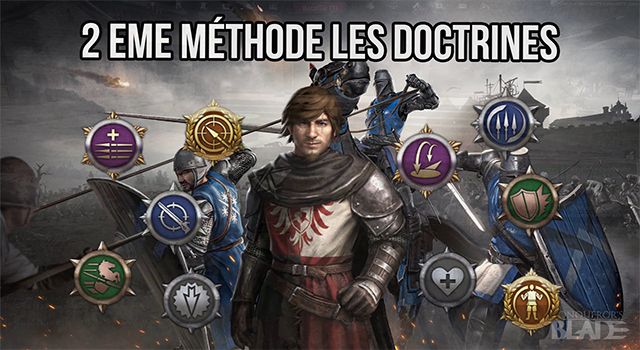
2nd optimization method: doctrines.
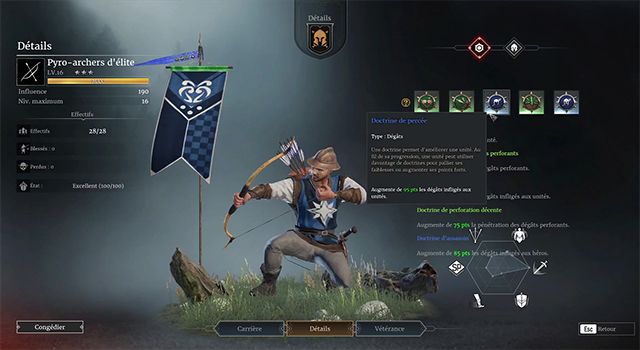
Indeed, you can also increase the effectiveness of a unit through doctrines.
There are 5 types of doctrine rarity, which are:
- Coarse (Grey color)
- Decent (Green color)
- Rare (Blue color)
- Epic (Purple color)
- Legendary (Orange color)
The crude, decent and rare doctrines are fairly easy to obtain, notably through weekly quests, the seasonal shop, the battle pass and weekly rewards.
However, epic and legendary doctrines are extremely rare and should be saved for your best units.
Tool to find out the drops from the excavations.
Of course the rarest ones are the most interesting, but I still advise you to keep your current doctrines which will allow you to fill gaps for your large units while waiting for something better and possibly equip your small units.
To use a doctrine, press U, then select the desired unit, click on one of the doctrine slots in the top right corner, and finally select the doctrine you wish to assign.
Rules for using doctrines
So there are a few small rules concerning doctrines:
First rule: a doctrine placed on a unit cannot be recovered, so choose carefully where to put them.
Second rule: you can replace one doctrine with another, in which case the first doctrine will disappear.
Third rule: there are specialized doctrines. For example, the rare doctrine for archers can logically only be applied to a ranged unit.
Rule number 4: not all doctrine slots are directly accessible; you will have to unlock them.
- For the first slot, the unit must reach: Level 1
- Level 3 for the second slot
- Level 5 for the third
- Level 7 for the fourth
- And level 10 for the 5th
And finally, the 5th rule is that you cannot use the same doctrine 5 times.
Unit buffs
Let's go back to optimization methods with unit buffs.
You can activate unit buffs that will allow their levels to progress faster.
It is possible to acquire them in different ways, which are:
- Login rewards
- Purchase via the seasonal shop
- Purchase via the standard store
The sinacles
4th method: The sinacles.
The sinacles are roughly pieces of knowledge of a unit.
More specifically, in the case where you have a sinacle of a unit that you do not own.
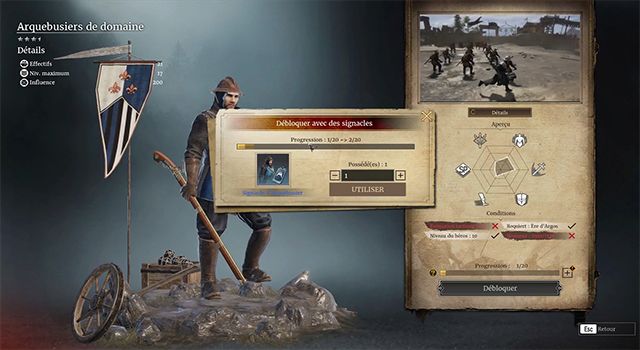
You can go to the unity tree and activate this sinacle.
After a certain number of times you will be able to unlock the unit in question directly without spending any honor.
What if I already have the unit?
Well, in that case you can directly assign it to the unit via the barracks to slightly increase its experience.
What if my unit is at max level?
Well, in that case you can always recycle your sinacle in order to obtain, after a certain number of recyclings, chests containing other sinacles.
The composition of your army
5th method: the composition of your army.
Indeed, the composition of your army affects the experience it receives.
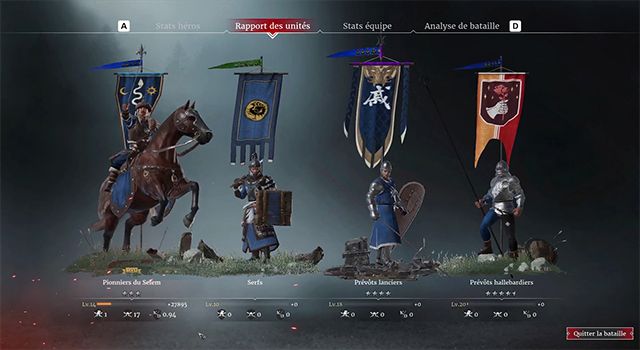
For example, if you have 4 units, 3 of which are max level and 1 that you want to level up, then if you bring out the unit during the battle it will receive 100% leveling up.
If the unit has not fought, it will receive approximately 10% of its experience.
However, if you have 4 units that are not max level and have all entered battle, then the exp will be distributed between each of them.
Depending on your needs, it may therefore be advantageous to optimize simply by taking 2 units with experience + units at max level.
The mercenaries.
6th method: mercenaries.
Mercenaries are units that grant you a buff when one of them is engaged in battle:
- 10% honor
- 10% bronze coin
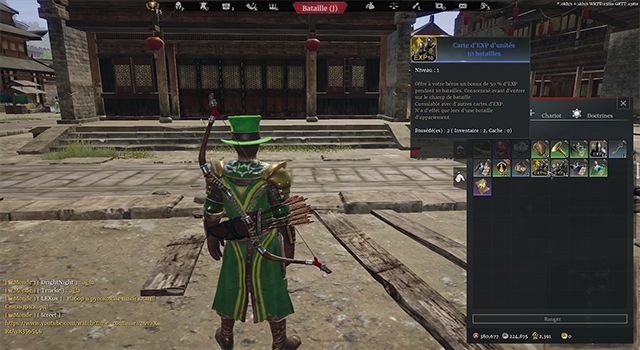
- and 10% EXP
Please note that this bonus is not cumulative; that is to say, if you engage 2 mercenaries in the same battle, you will only receive the bonus once.
To obtain a mercenary you must either buy one with sovereigns or save your silver coins.
One interesting point: mercenaries are at maximum level by default and do not consume any packs.
They are therefore useful for saving money.
The skins units
7th method the skin units
You can assign a unit an outfit that will change its appearance.
Of course the characteristics of the unit remain unchanged but there is still a psychological interest.
Indeed, Conqueror's Blade players identify threats partly based on their skin.
No one is afraid of a standard rural militia unit.
On the other hand, a rural militia unit with a skin can create the illusion of a higher level and thus push back the opponent, allowing you to gain a significant amount of time.
The opposite is also true, for example a standard unit of reapers will frighten many players but with an array of gear this effect can be mitigated and will potentially allow you to unleash a destructive charge more easily.
Regarding obtaining cosmetic items, you can:
- Obtain it as a seasonal reward for reaching level 100.
- Or buy them via the Conqueror's Blade store.
One small restriction: this trick can only be used once per account.
Unit configurations
Let's return to optimization methods with unit configurations.
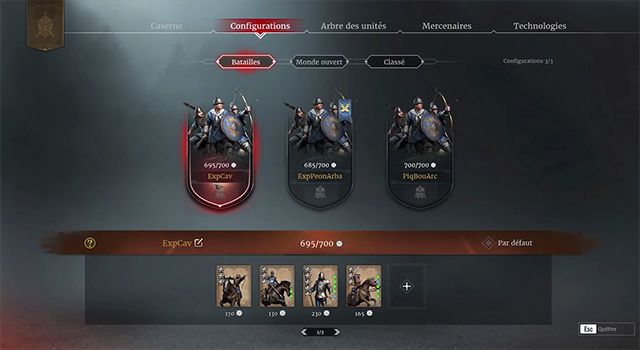
Conqueror's blade allows you to create unit sets (3 for standard battles and 3 for the open world) that will allow you to quickly switch between several teams.
The benefit? To save a little time, especially during GvGs where you need to intervene quickly for an attack, for example, or when you are in alt-tab and you only have 15 seconds left before the start of the battle
Unit maintenance
Unit packages
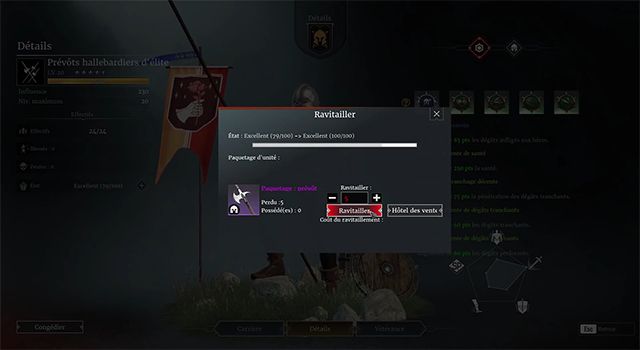
Okay… We now know how to optimize our units, but fighting takes its toll, especially on your soldiers' armor and weapons, so you need to take care of them by resupplying them..
To do this you must go to U and then select the unit of your choice.
Click on the plus icon in the top left corner and either use pre-made packages, bronze coins, or buy packages from the auction house with silver coins.
One small detail for the cavalry: in addition to the packs, you will have to provide them with horses that you can find in the paddocks of the open world.
Warning: if you do not perform maintenance and your units fall below 50%, they will lose 10% of the damage they inflict on enemies and suffer 10% additional damage.
If it crosses the 20% threshold, it will no longer have the possibility of entering battle.
For more information on how to create packages, you can check out my tutorial on resource management in Conqueror's Blade.
Link
Conqueror's Blade tutorial resources So great, we now have units with quality equipment, but something is still missing.
Unit rations
Yes, you have to feed them! Although food doesn't come into play when you're in standard battles like sieges, pitched battles, etc., it's very important when you enter the open world.
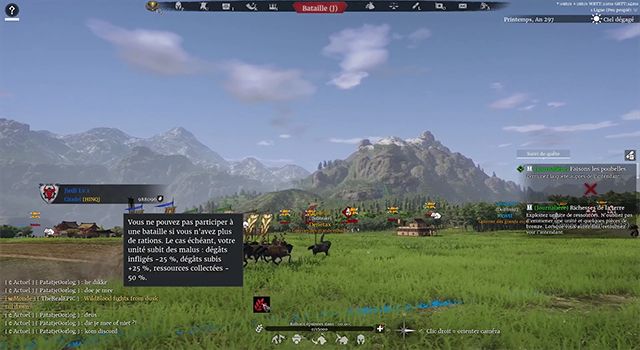
Indeed, if your troops run out of rations, they will no longer be able to attack another player's town/village/castle or join an existing fight, and if someone decides to attack you, you will suffer a 25% penalty to the damage inflicted by your troops as well as 25% additional damage suffered.
So your units are created, you know how to optimize and maintain them, but there are still some rules and indicators to address before the battle.
Indicators
The influence
First indicator: influence
Specifically, each unit in Conqueror's Blade has an influence value that can be found on its portrait or on its characteristics.
When you start Conqueror Blade, your character will gain influence points at each level up to a maximum of 700 at level 60.
During battle preparation, each unit engaged in the battle cannot exceed the maximum influence set by the hero's level and any equipment that increases the maximum influence.
A small exception for free battles, which do not limit your army to your influence.
And therefore allows you to take any units of your choice within the limits of available slots.
Additional rules: you cannot put the same unit multiple times in your starting build even if it is present in your barracks.
The map
Second indicator the map
When loading the game, it is important to analyze the map to adapt the units you are going to deploy.
For example, an open map is conducive to cavalry, and conversely, a map with many bottlenecks can be interesting for shields or anchored pikemen.
Of course, battles don't always go as planned, so you'll need to adapt throughout the game.
The weather
Third indicator the weather
The weather in Conqueror's Blade is not just visual but impacts the game.
For example, if it is raining, pyro-archers will be less effective because their arrows will not be able to ignite.
Therefore, before the battle begins, it is important to observe the indicator in the top right corner and modify the units involved accordingly.
Training and skills
Let's move on to the use of formations and skills in battle.
Some units have training and techniques that allow them to adapt to different situations.
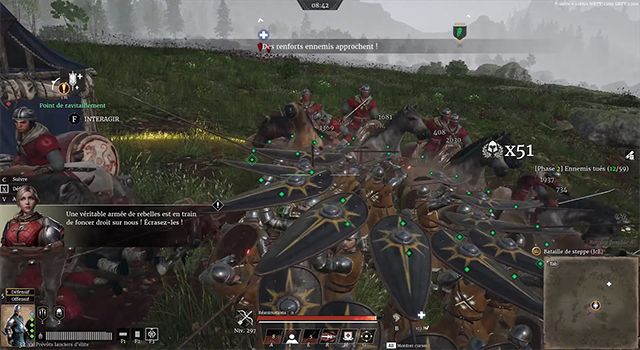
The best-known example is probably the tortoise formation of shields coupled with the charge (provost spearmen for example) which will allow them to move while protecting themselves from arrows.
It also has the online formation which allows it to block a wide corridor but leaves the back vulnerable.
And finally, a circular formation allowing attacks to be blocked from all sides.
It is therefore very important to master the formations of your units in order to be as effective as possible in battle.
passive skill of units
Let's now move on to the unit's passive skills.
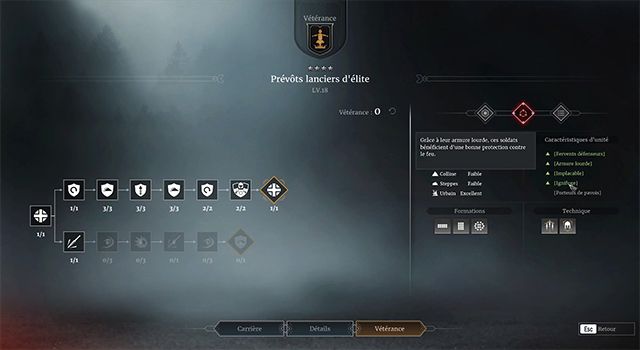
Each unit in Conqueror's Blade possesses innate passive properties. For example, halberdier provosts are fireproof, meaning they benefit from very good protection against fire damage (especially pyro archers).
It is therefore very important to know the properties of your unit in order to more easily counter the opponent.
To access your unit's passive properties, simply press U and then select the unit in question. (Veterance and second tab on the right.)
That's the end of this article, I hope you enjoyed it. Don't forget to give it a thumbs up if you liked it, and subscribe to the channel if you'd like to follow it! Just a reminder that you can use the code
ZYX515 to gain access to some in-game advantages for new players or
ZYL515 For players who haven't launched the game in the last month